Embed to iOS App
Add a Script Tag
All you need to do to integrate Linkify into your app is to simply inject the script tag below into the HTML header of a web page.
<script type="text/javascript"
  src="http://www-static.linkify.mobi/api/linkify.js?key=YOUR_API_KEY">
</script>
Example of a Webview Application
We will show you an example of how to make an iOS WebView application with Linkify. We will insert JavaScript code to integrate Linkify into your application. This time, we will use Yahoo! News as an example.
Add WebView
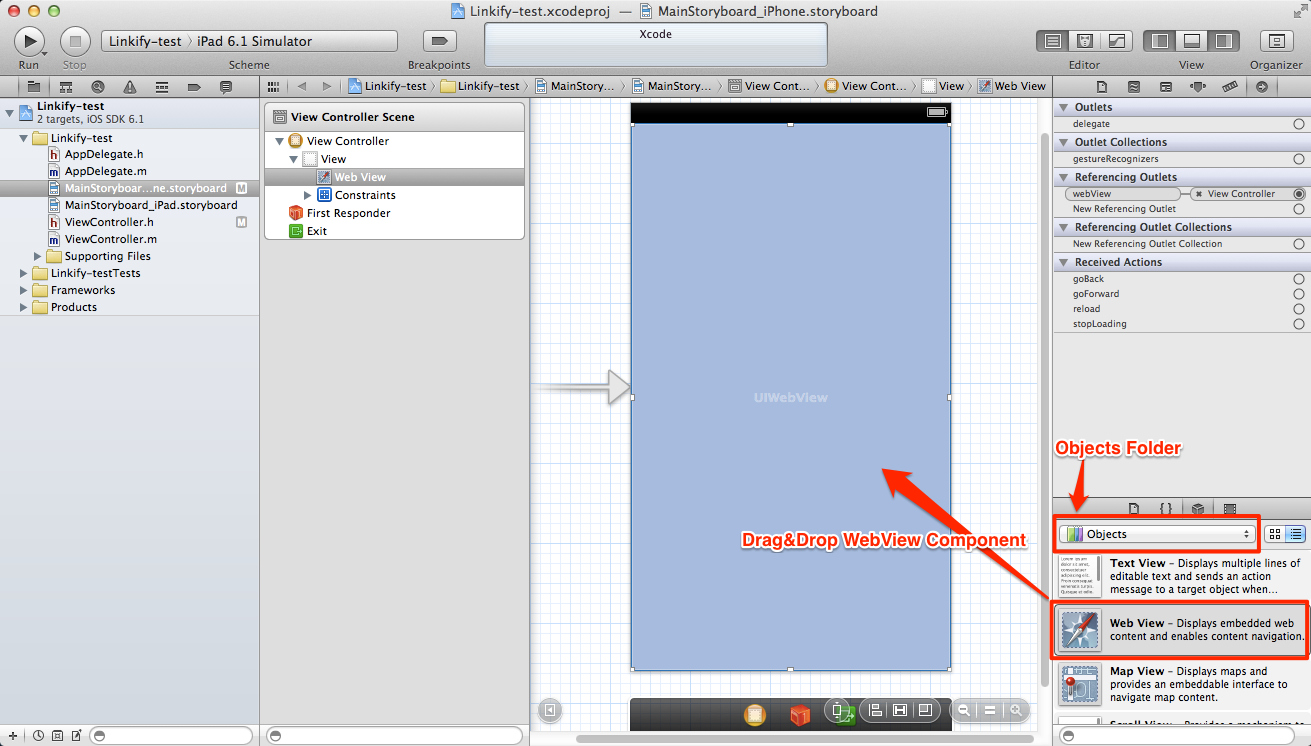
Now, we will use a Single View Application as a template. To add a WebView, just choose the storyboard file, then drag and drop the WebView UI that is included in the Objects folder.
Modify View Controller
In ViewController, you have to first define the WebView. The code below is an example of ViewController.h.
@interface ViewController : UIViewController {
  IBOutlet UIWebView *webView;
}
The code below is an example of two methods in ViewController.m. What the viewDidLoad method does is simply as just requesting a certain URL (e.g., Yahoo! News). In the webViewDidFinishLoad method, use stringByEvaluatingJavaScriptFromString method to load the JavaScript which inserts a Linkify script tag into the HTML header. We recommend copy & pasting the stringByEvaluatingJavaScriptFromString method from the Linkify page since there exists an environment variable, YOUR_API_KEY inside the code below.
@interface ViewController ()
@end

@implementation ViewController

- (void)viewDidLoad
{
  [super viewDidLoad];
  NSURLRequest* req = [NSURLRequest requestWithURL:[NSURL URLWithString:@"http://news.yahoo.com"]];
  [webView loadRequest:req];
  webView.delegate = self;
}

- (void)webViewDidFinishLoad:(UIWebView *)view
{
  [webView stringByEvaluatingJavaScriptFromString:@"(function(){if(!window.linkified){var d=document,s=d.createElement('script');s.type='text/javascript';s.src='http://www-static.linkify.mobi/api/linkify.js?key=YOUR_API_KEY';d.getElementsByTagName('head')[0].appendChild(s);window.linkified=true;}})()"];
}
Link WebView Component
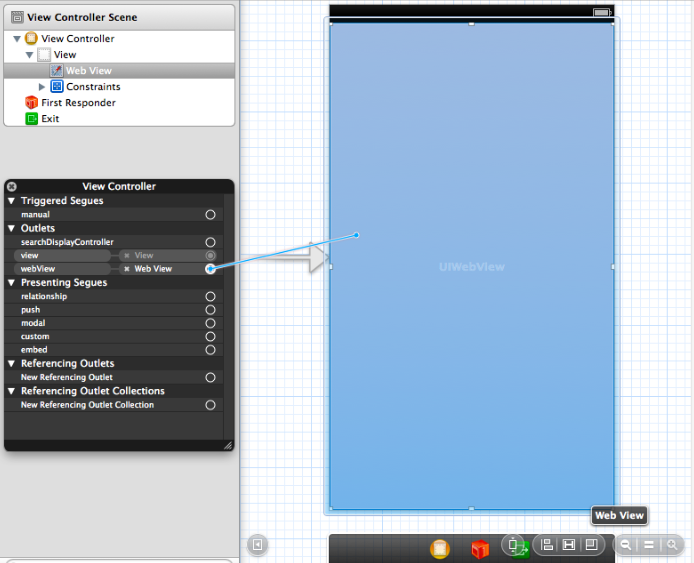
Finally, go back to the storyboard file and link the WebView component as shown below.