Using Google AdSense for search
Introduction
Google AdSense for search is a service that will help you monetize your apps by users looking at Google search engine’s advertisements based on the user’s searching keywords.
The process of making Linkify work with Google AdSense for search replaces the Google custom search engine with a Google link on the Linkify’s widget.
This section of the documentation covers how to use Google AdSense for search with Linkify. If you do not already have a Google AdSense account, please register to Google AdSense at this page.
Create Custom Search Engine
To use Linkify with Google AdSense, you have to create a Google custom search engine.
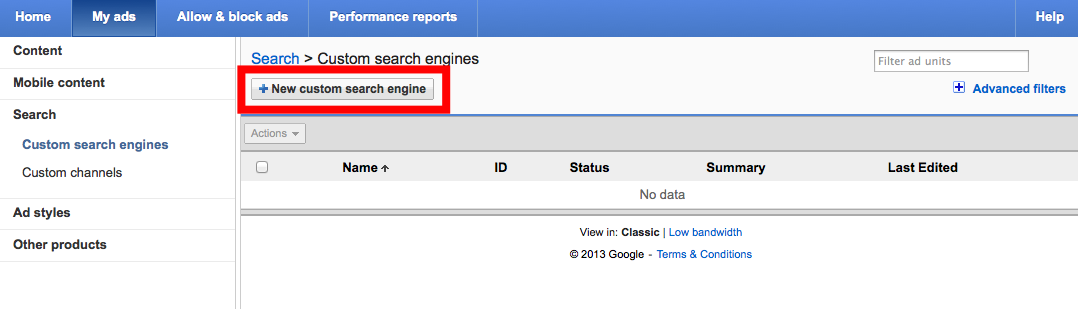
On the Google AdSense for search’s page, sign in, and click My ads. Then, from the left-hand side, select Search, Custom search engines and click New custom search engine button.
We recommend the following options for the Google custom search engine:
- What to Search: The entire web
- Country or territory: Your region
- Site language: English
Then, click Save and get code.

Use your custom search engine’s ID displayed in the red frame for the next step.

Create Your Google AdSense for Search URL Pattern
Enter the ID in the generator below to get the URL pattern to use with Linkify.
Your URL
Create Linkify App
Select Apps on the page’s top, and click Add App. If you would like to edit apps that have already been created, select that application, and click Edit. Input your URL pattern in the Google AdSense for search box.

When you click Add New App, the set up for using Linkify with Google AdSense for searh will be complete.
Please note that it can take up to 1 hour for the process of making Linkify work with Google AdSense for search to take effect.